AUSYS Pty Ltd · Lead Experience Designer · Co-founder SaaS · Event Venue Industry 2023 — 2024

PlanSpace — a SaaS built for the messy reality of running an event venue.

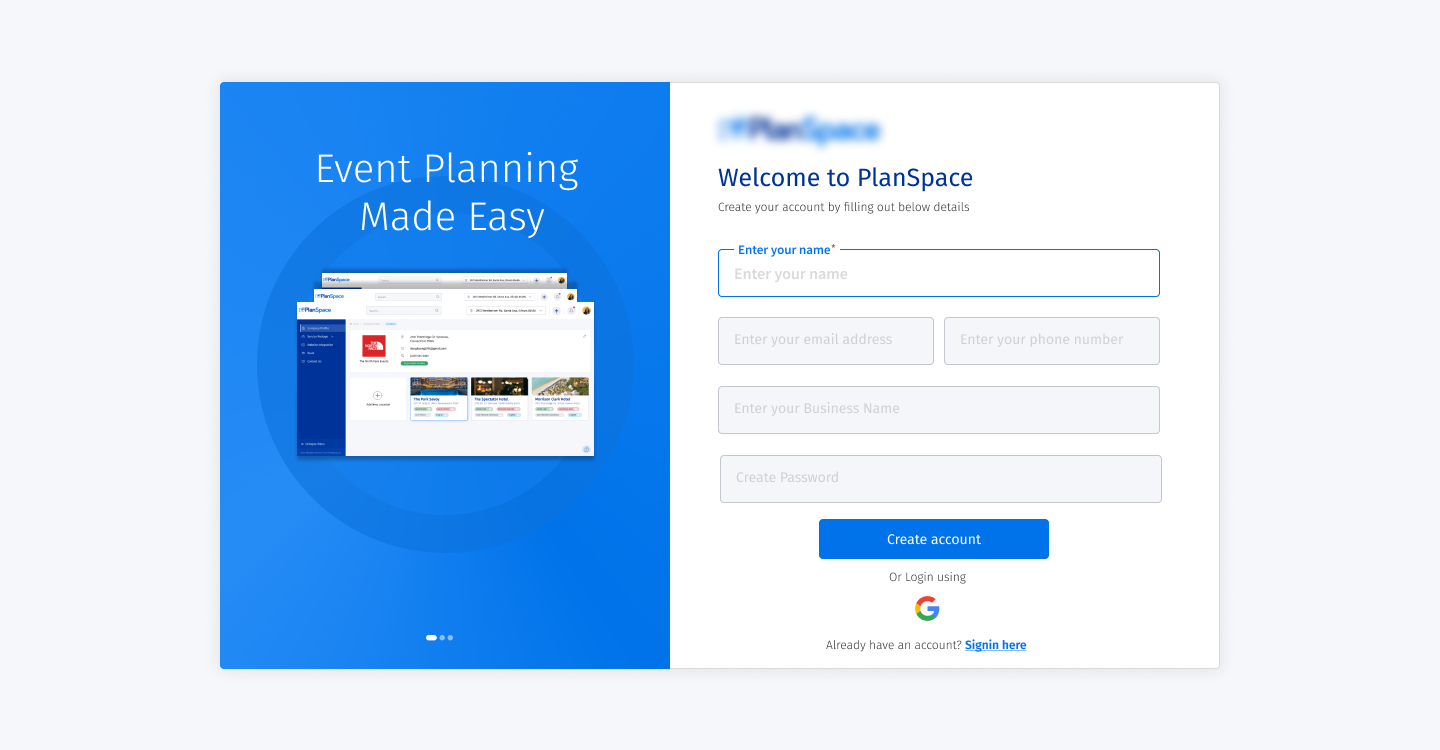
PlanSpace is a bespoke SaaS application for event venue operators — the businesses that book weddings, corporate offsites, conferences, and one-off events into physical spaces. The category was being underserved by generic CRMs and clunky calendar tools. As Lead Experience Designer and co-founder at AUSYS, I owned the product design end-to-end: research, IA, the full design system, and the booking, lead-capture, automation, and event-monitoring surfaces.

Role
Lead Experience Designer · Co-founder
Design owner from day one
Team
Co-founding team of 4
Partnered with engineering on every component
Duration
Mar 2023 — Jun 2024
0 → 1 product (16 months)
Outcome
SaaS shipped to pilot venues
Bookings, leads, automation, workflows in one product
01 · Problem

Event venues run their business in six different tools. None of them talk to each other.

The event venue industry is bigger and messier than most people realise. Wedding halls, hotels, conference centres, banquet rooms, restaurants with private dining — every venue is essentially a small operations business with high-touch sales, custom packages per event, contract negotiation, vendor coordination, and a calendar that cannot double-book.

Before PlanSpace, a typical mid-sized venue ran its business across a website contact form, a spreadsheet for the lead list, a separate calendar tool, a CRM that wasn't built for events, an email template library copy-pasted from a Google Doc, and an accounts package that didn't know an event from an invoice. Leads dropped through the cracks. Bookings got missed. Staff spent more time reconciling tools than running events.

Three specific problems we set out to solve:

  • Lead capture lived outside the booking system. By the time a lead became a booking, half the context was lost in email threads.
  • Every venue had a slightly different workflow. Generic CRMs forced standardisation that nobody wanted; bespoke builds were too expensive.
  • Online presence was an afterthought. Venues had brochure websites that didn't drive enquiries — let alone bookings.

"We don't need another CRM. We need software that understands what an event actually is — from the first enquiry to the final invoice." — Operator interview, third venue we shadowed

02 · Process

Spent six weeks in venues before opening Figma.

This was a 0→1 product, with a small co-founding team, against an industry whose existing software actively annoys its users. The temptation in that situation is to rush to wireframes. We didn't.

I spent the first six weeks doing field research — sitting in three venues across booking conversations, contract sign-offs, vendor coordination calls, and the post-event wrap-up. I built a workflow map per venue, then layered them to find the genuinely shared structure underneath each operator's quirks. That map became the IA.

Then we sequenced the build in three phases:

  • Phase 1 — Lead capture + enquiry pipeline. The most-broken part of the workflow. Get this right first; everything else hangs off it.
  • Phase 2 — Booking, calendar, and event tracking. The operational core. Cannot ship a product that double-books a wedding.
  • Phase 3 — Automation, templates, and customizable workflows. The differentiator. This is where bespoke meets SaaS.
P1 P2 P3 P1 · LEAD PIPELINE Capture → qualify → propose Fixes leakiest part of venue ops P2 · BOOKING + CAL Conflict-safe, multi-space The operational core P3 · AUTOMATION Customisable workflows Bespoke without the cost
Three phases, one product

Lead capture first because it was the most-broken part of the day-to-day

By the time we shipped phase 2, pilot venues already trusted the product enough to migrate their bookings off spreadsheets.

Phase 3 was where we earned the right to charge for it — generic CRMs can't do customisable workflows without a consultant.

03 · Design system

A small, specific component library — built for the people who actually use it.

PlanSpace's users are venue managers, sales coordinators, and event planners. They are not power users of software. They use a phone in one hand and the laptop in the other. They want the screen to tell them what to do next.

That meant the design system had to optimise for two things: clarity at a glance (what's the next action?) and forgiving inputs (because data entry happens between phone calls). We built ~60 canonical components, dual-density (comfortable for screen, dense for the booking calendar), with a token architecture that meant theming a venue's customer-facing booking page took minutes, not days.

Components
~60 canonical components covering 100% of the product
Density
Comfortable + dense · calendar surfaces use dense
Theming
Per-venue brand themes via token overrides
Accessibility
WCAG AA across all interactive components
Mobile
Operators use mobile heavily — every core flow is mobile-first
Front-end pairing
Components shipped with engineering review same sprint
04 · Key Flows

The four flows that make or break a venue's week.

A venue's week is not 100 different tasks; it's four heavy ones repeated. Get those four right and the rest of the product can be plain.

01 · Lead

Lead Capture & Qualification

A public booking page that captures enquiries with the right context up front — date flexibility, headcount, event type, budget band. Auto-routes to the sales coordinator, with a status visible to the operator from the start.

Entry pointPublic booking page
OutcomeQualified lead in pipeline
02 · Booking

Conflict-Safe Multi-Space Booking

Most venues have multiple spaces — main hall, garden, mezzanine. The calendar treats each space as its own resource and prevents double-booking even when a single event spans rooms. State changes (held / confirmed / contracted) are explicit.

Key constraintNo double-booking
StatesHeld · Confirmed · Contracted
03 · Event Day

Event Day Operations

A single day-of timeline per event. Vendor arrival times, catering counts, AV requirements, contact numbers. Designed for the phone — operators read this on the floor, not at a desk.

Primary deviceMobile
FormatSingle timeline view
04 · Templates

Customisable Workflow Templates

Each venue has slightly different rituals — a wedding venue's process is not a corporate-event venue's. Templates let an operator save their workflow once, then apply it to every new booking. The bespoke part of bespoke software, without the cost.

DifferentiatorPer-venue customisation
PhasePhase 3 · after trust established
05 · What I Owned

Co-founder and the design owner. End-to-end.

This wasn't a "design lead at a startup" role. It was a co-founding role with design ownership.

Product strategy
Co-defined the product roadmap with the founding team. Chose what to build and what not to build.
Research
Six weeks of field research across three pilot venues. Operator interviews. Workflow mapping. Job-shadowing.
Information architecture
End-to-end IA — the layered workflow map became the navigation structure of the product.
Design system
Token architecture, ~60 canonical components, dual-density, theming, accessibility.
Core flows
Lead capture, multi-space booking, event-day timeline, customisable workflow templates.
Engineering partnership
Paired daily with engineering. No component shipped without a same-sprint design + eng review.
Customer-facing booking page
Designed the public-facing brochure + booking surface that drives venue lead-flow.
06 · Outcomes

What it looked like at pilot launch.

Illustrative numbers — verified figures will be swapped in before publishing.

3
PILOT VENUES
ONBOARDED AT LAUNCH
~60
CANONICAL COMPONENTS
ACROSS THE FULL PRODUCT
4
CORE FLOWS
LEAD · BOOKING · EVENT-DAY · TEMPLATES
0→1
PRODUCT BUILT
RESEARCH TO PILOT IN 16 MONTHS
16
MONTHS
MAR 2023 → JUN 2024
1
PUBLIC BOOKING PAGE
PER-VENUE · THEME-ABLE
WCAG
AA COMPLIANT
ALL INTERACTIVE COMPONENTS
SaaS
DELIVERY MODEL
MULTI-TENANT · PER-VENUE THEMING
07 · Reflections

What I'd do again and what I'd do differently.

DO AGAIN

Six weeks in venues before any wireframes. The IA we shipped was the workflow map of the operators, not a software architect's mental model. Cheap research; expensive insight.

DO AGAIN

Lead capture first. The leakiest part of the workflow was the part operators were most willing to pay to fix. It earned us the right to ship the rest.

DO AGAIN

Customisable workflows as a phase 3 feature, not phase 1. We resisted the pressure to ship it early. By the time it landed, pilot venues had told us exactly which parts to make customisable — and we didn't over-build.

DIFFERENTLY

Built the analytics layer earlier. We were making product decisions on operator interviews and gut. By month 8, I wished we'd had instrumented baselines from month 1.

DIFFERENTLY

Spent more design time on the public booking page. It's the first surface an end-customer sees, and it does more sales work than any other screen. We treated it as supporting; it was actually the front door.

LESSON

0→1 design is restraint, not invention. Every additional feature is a future support ticket. The best design decisions on PlanSpace were the things we cut.